Adscriptly CLI
AI-powered CLI for managing Google Ads from the terminal.
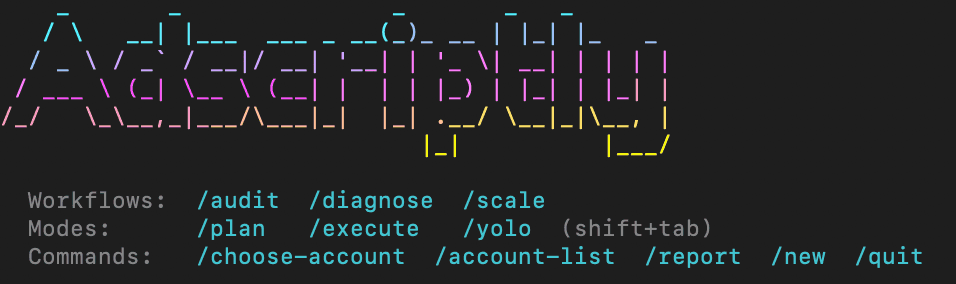
Installation
npm (recommended)
npm install -g adscriptlyRequires Node.js 18+.
curl
curl -fsSL https://adscriptly.com/install | bashThe install script detects your platform, checks for Node.js 18+, and installs via npm install -g adscriptly. Falls back to sudo if needed.
Homebrew (macOS)
brew tap leo247724/tap
brew install adscriptly
Update with brew upgrade adscriptly.
Authentication
Login
adscriptly loginOpens your browser to authenticate with your email or Google account. A local callback server listens on 127.0.0.1 with a random port. Once authenticated, a token is saved to ~/.adscriptly/config.json.
If you don’t have an account, the first-run prompt in adscriptly chat gives you the option to sign up or sign in.
Logout
adscriptly logoutRemoves the stored token from ~/.adscriptly/config.json.
View config
adscriptly config --showDisplays your current token, email, and API URL.
Commands
| Command | Description |
|---|---|
adscriptly | Start interactive AI chat |
adscriptly login | Authenticate via browser |
adscriptly logout | Remove stored credentials |
adscriptly config --show | View current configuration |
Chat options
adscriptly chat --mode <mode>-m, --mode sets the starting execution mode: plan (default), execute, or yolo.
Running adscriptly with no command starts chat.
Interactive Chat
Once in chat, you can type natural language to manage your Google Ads accounts. The AI has access to 44 tools for reading performance data, generating reports, and making changes.
Slash commands
| Command | Description |
|---|---|
/plan | Switch to plan mode |
/execute | Switch to execute mode |
/yolo | Switch to yolo mode |
/audit | Run full account optimization audit |
/diagnose | Performance troubleshooting workflow |
/scale | Growth planning and ceiling analysis |
/report | Generate a performance report |
/choose-account | Select active Google Ads account |
/account-list | List all connected Google Ads accounts |
/new | Start a new conversation |
/quit | Exit the CLI |
Keyboard shortcuts
| Shortcut | Action |
|---|---|
Shift+Tab | Cycle through modes (plan → execute → yolo) |
Ctrl+C | Exit |
Arrow keys | Navigate selection menus |
Execution Modes
The CLI has three permission modes that control what the AI can do:
/plan (default)
- Read tools execute freely
- Write tools are blocked — the AI can describe what it would do but can’t make changes
- Best for exploring your account safely
/execute
- Read tools execute freely
- Write tools show a confirmation prompt before executing
- The confirmation box shows the tool name, action description, and Google Ads impact (if any)
- Type
yto approve ornto deny
/yolo
- All tools execute immediately with no confirmation
- Use when you trust the AI to make changes autonomously
Switch modes anytime by typing /plan, /execute, or /yolo, or press Shift+Tab to cycle.
Write tool indicators
/execute mode are color-coded: blue for Adscriptly-only actions (no Google Ads impact) and yellow with warning for actions that affect Google Ads (adds keywords, modifies campaigns, etc.).Reports
Type /report to generate a performance report. The interactive wizard walks you through:
- Select account — choose from your connected Google Ads accounts
- Select time frame — Weekly, Monthly, or Quarterly
- Select format — Markdown (terminal), PDF, or Word (.docx)
Reports include campaign performance, conversion breakdowns, change history, competitive position (auction insights), and AI-generated recommendations.
Workflows
/audit — Account Optimization Audit
Runs an 8-step audit covering:
- Campaign structure and settings
- Keyword quality scores
- Search term analysis
- Negative keyword opportunities
- Device and demographic performance
- Ad copy effectiveness
- Landing page performance
- Budget allocation
/diagnose — Performance Troubleshooting
9-step diagnostic workflow for identifying performance issues:
- Spend and conversion trends
- Quality score degradation
- Impression share loss
- Device and location anomalies
- Search term waste
- Competitive pressure (auction insights)
- Landing page issues
- Ad scheduling inefficiencies
- Conversion tracking health
/scale — Growth Planning
8-step growth analysis:
- Current performance ceiling identification
- Budget headroom analysis
- Impression share opportunity
- Keyword expansion potential
- Geographic expansion
- Device optimization
- Demographic targeting
- Competitive positioning
Charts
The CLI auto-renders terminal charts when tools return visualization data. Charts are responsive to terminal width, use color-coded legends, and filter out zero-value rows.
| Chart | Trigger Tool | Format |
|---|---|---|
| Campaign Spend | get_campaign_performance | Currency ($) |
| Device Conversions | get_device_report | Count |
| Age Conversion Rate | get_age_report | Percent (%) |
| Gender Conversions | get_gender_report | Count |
| Income Conversion Rate | get_income_report | Percent (%) |
| Top Locations | get_location_report | Count |
| Competitor Impression Share | get_auction_insights | Percent (%) |
| Top Keywords | get_keyword_report | Count |
| Asset Performance | get_asset_performance_report | Percent (%) |
| Top Search Terms | get_search_terms_report | Count |
| Day of Week Conversions | get_schedule_report | Count |
Available Tools
The AI has access to 44 tools organized into categories:
Google Ads read tools (29)
Core query tools: list_accounts, execute_gaql_query, run_gaql, list_gaql_resources, get_account_currency
Performance reports: get_campaign_performance, get_ad_performance, get_ad_creatives, get_search_terms_report, get_keyword_report, get_device_report, get_location_report, get_schedule_report, get_age_report, get_gender_report, get_income_report, get_asset_performance_report, get_auction_insights
Strategic reports: get_ad_group_report, get_user_location_report, get_conversion_action_report, get_landing_page_report, get_call_details_report, get_change_history
Image tools: get_image_assets, get_image_asset_urls, get_asset_usage, analyze_image_assets
Google Ads write tools (1)
execute_mutate — direct Google Ads mutations (campaigns, keywords, ads, bids, etc.). Subject to mode permissions.
Adscriptly read tools (10)
get_dashboard_analytics, get_keyword_performance, get_keyword_kpis, get_conversion_stats, get_conversion_analytics, get_pending_negative_keywords, get_search_terms, get_negative_keyword_agent_status, get_pending_positive_keywords, get_sync_status
Adscriptly write tools (5)
approve_negative_keywords, dismiss_negative_keywords, apply_negative_keywords (pushes to Google Ads), approve_positive_keywords (pushes to Google Ads), trigger_sync
GAQL queries
You can ask the AI to run custom Google Ads Query Language (GAQL) queries against your accounts using execute_gaql_query or run_gaql. Common date ranges: LAST_7_DAYS, LAST_14_DAYS, LAST_30_DAYS, LAST_90_DAYS.
MCP Server (Claude Desktop)
The CLI includes an MCP server that gives Claude Desktop access to the same 44 tools.
Setup
Add to ~/Library/Application Support/Claude/claude_desktop_config.json:
{
  "mcpServers": {
    "adscriptly": {
      "command": "adscriptly-mcp-server"
    }
  }
}
Prerequisites
adscriptly login first so the MCP server can use your stored token.The MCP server also provides:
- GAQL reference resource (
gaql://reference) — available GAQL resources and query patterns - Workflow prompts —
google_ads_audit,google_ads_diagnose,google_ads_scale,gaql_help
Configuration
Config file
Location: ~/.adscriptly/config.json
{
  "token": "your-auth-token",
  "email": "you@example.com",
  "apiUrl": "https://adscriptly.com"
}
API URL resolution
ADSCRIPTLY_API_URLenvironment variable (if set)apiUrlin config file- Default:
https://adscriptly.com
Troubleshooting
“adscriptly: command not found”
npm’s global bin directory may not be in your PATH. Run npm config get prefix and add the bin/ subdirectory to your PATH.
Login times out
The local auth server has a 5-minute timeout. If the browser didn’t open, copy the URL printed in the terminal and open it manually.
Already authenticated
If adscriptly login says you’re already authenticated but you need to re-auth, run adscriptly logout first, then adscriptly login.
Connection errors
Check your internet connection and that https://adscriptly.com is reachable. If using a custom API URL, verify the ADSCRIPTLY_API_URL env var or apiUrl in config.
Node.js version
The CLI requires Node.js 18+. Check with node -v and update if needed.