Negative Keyword Agent
The Negative Keyword Agent is an AI-powered tool that analyzes your Google Ads search terms to identify wasteful spending patterns. It detects competitors, geography mismatches, universal negatives, spam, and low-performing metric-based search terms.
Setup
Create a new agent
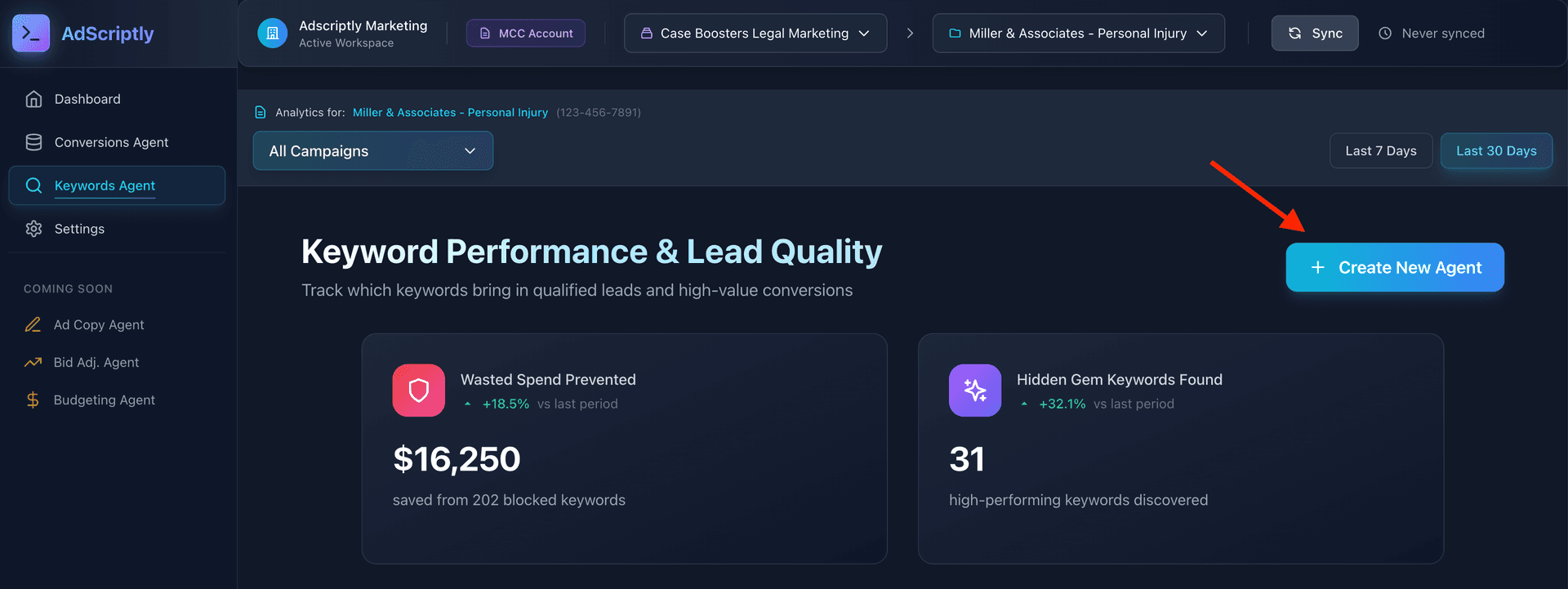
From the Keywords Dashboard, click “Create New Agent” and select Negative Keyword Agent.
Configure performance thresholds
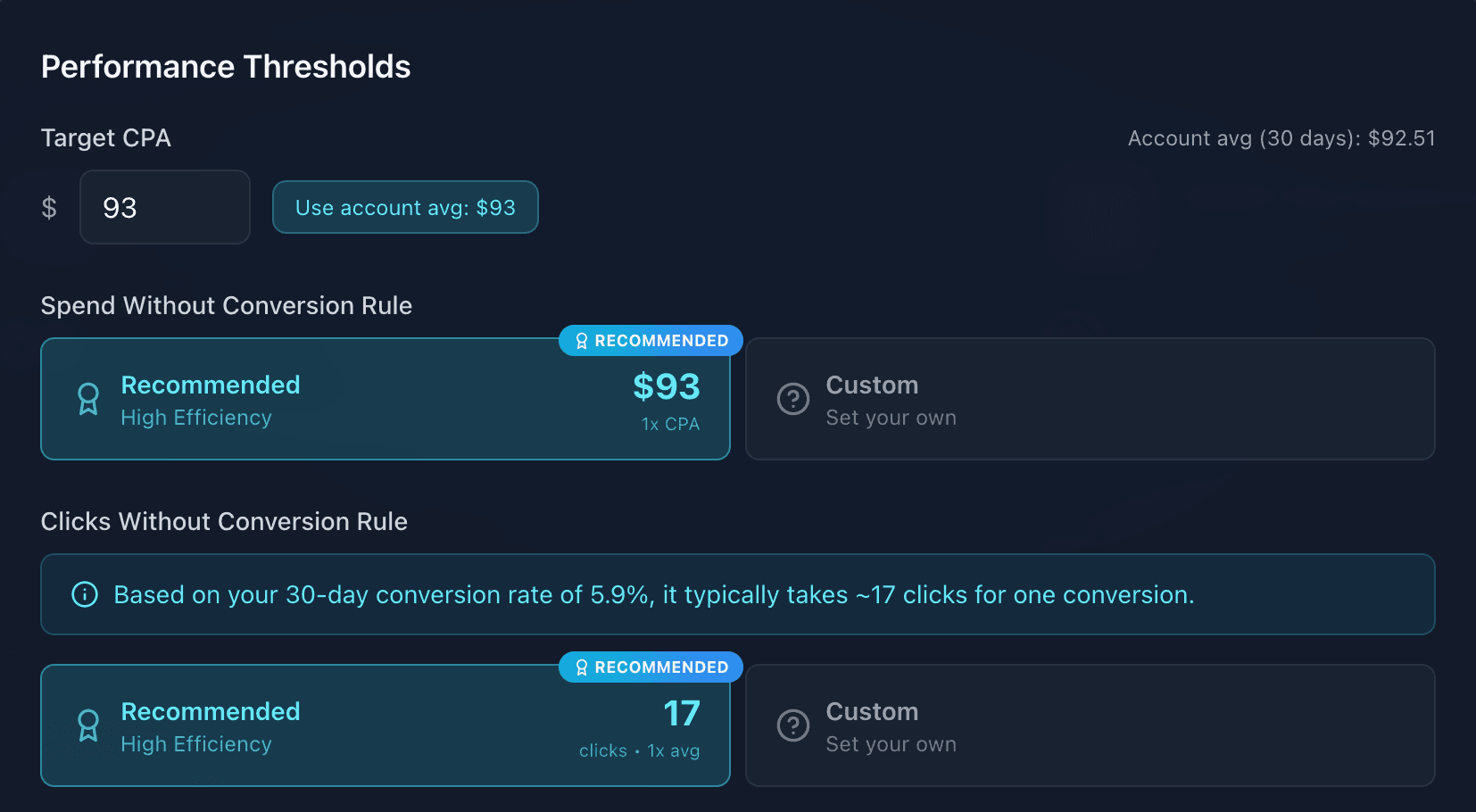
Set your performance thresholds including Target CPA, spend without conversion limits, and clicks without conversion thresholds.
Note
Set business name and locations
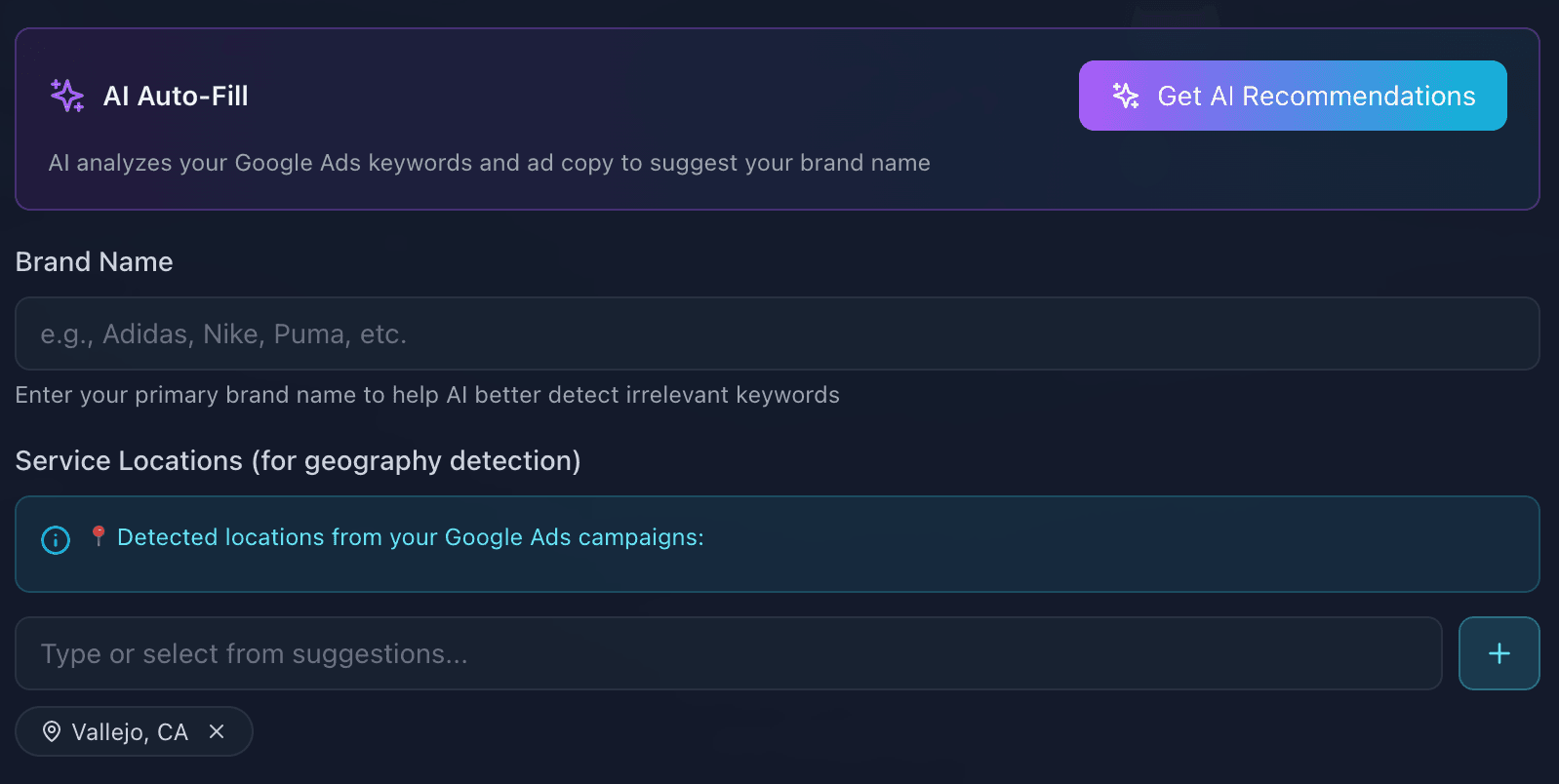
Click “Get AI Recommendations” to automatically extract your business name and service locations from your Google Ads account data. This helps the agent identify competitor and geography mismatch search terms.
Choose application scope
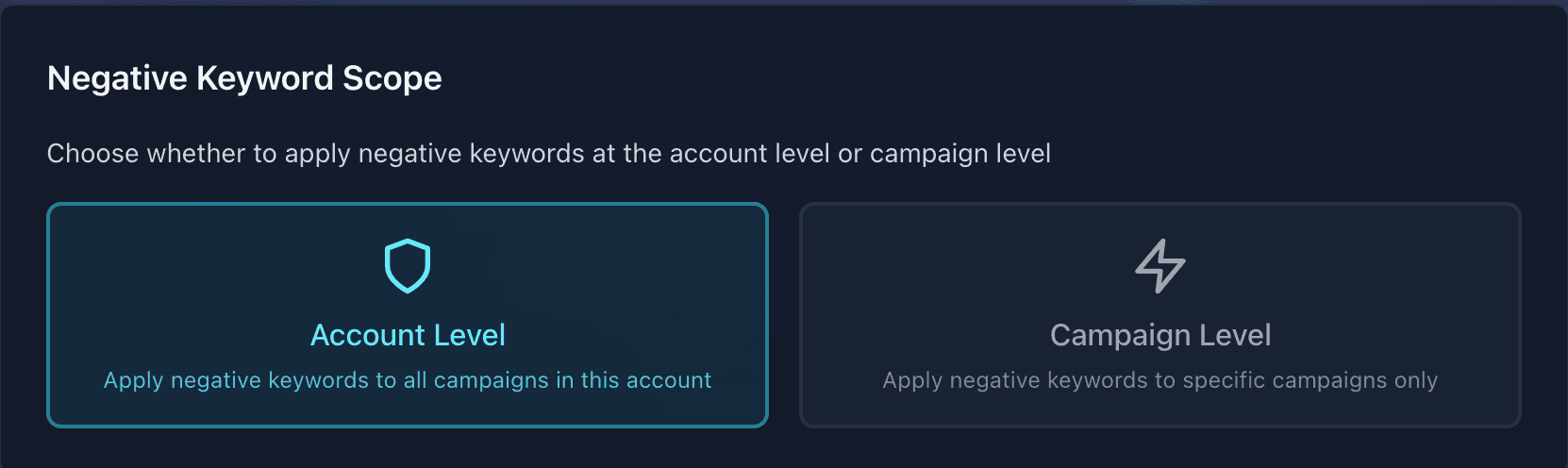
Select where negative keywords should be applied:
- Account Level — creates a shared negative keyword list applied to all campaigns
- Campaign Level — applies negatives to specific selected campaigns only
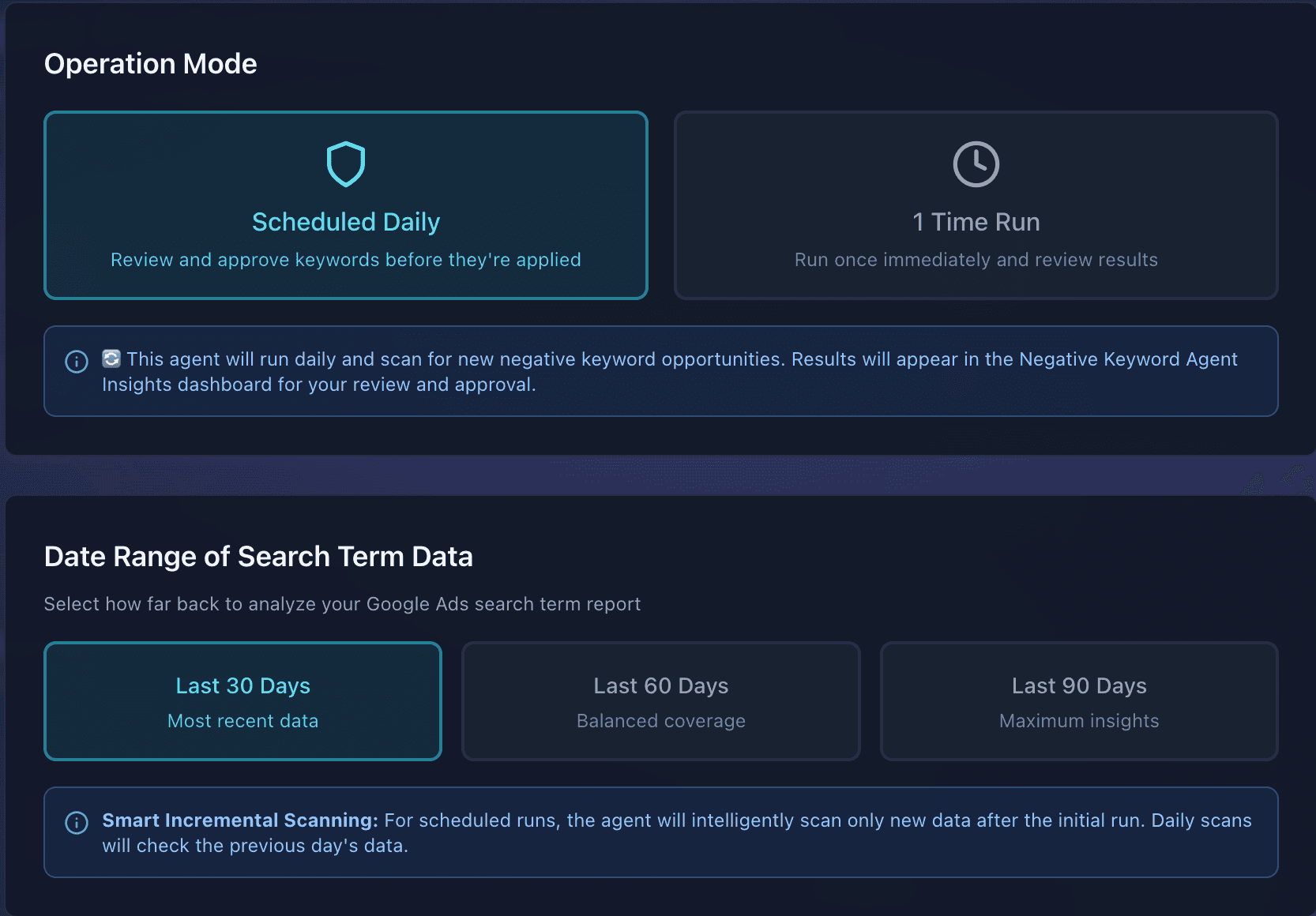
Configure operation mode
Choose how the agent should run:
- One-Time Run — single scan of historical search terms
- Scheduled Daily — continuous monitoring with daily scans
Select the date range for historical search term analysis.
Review and approve
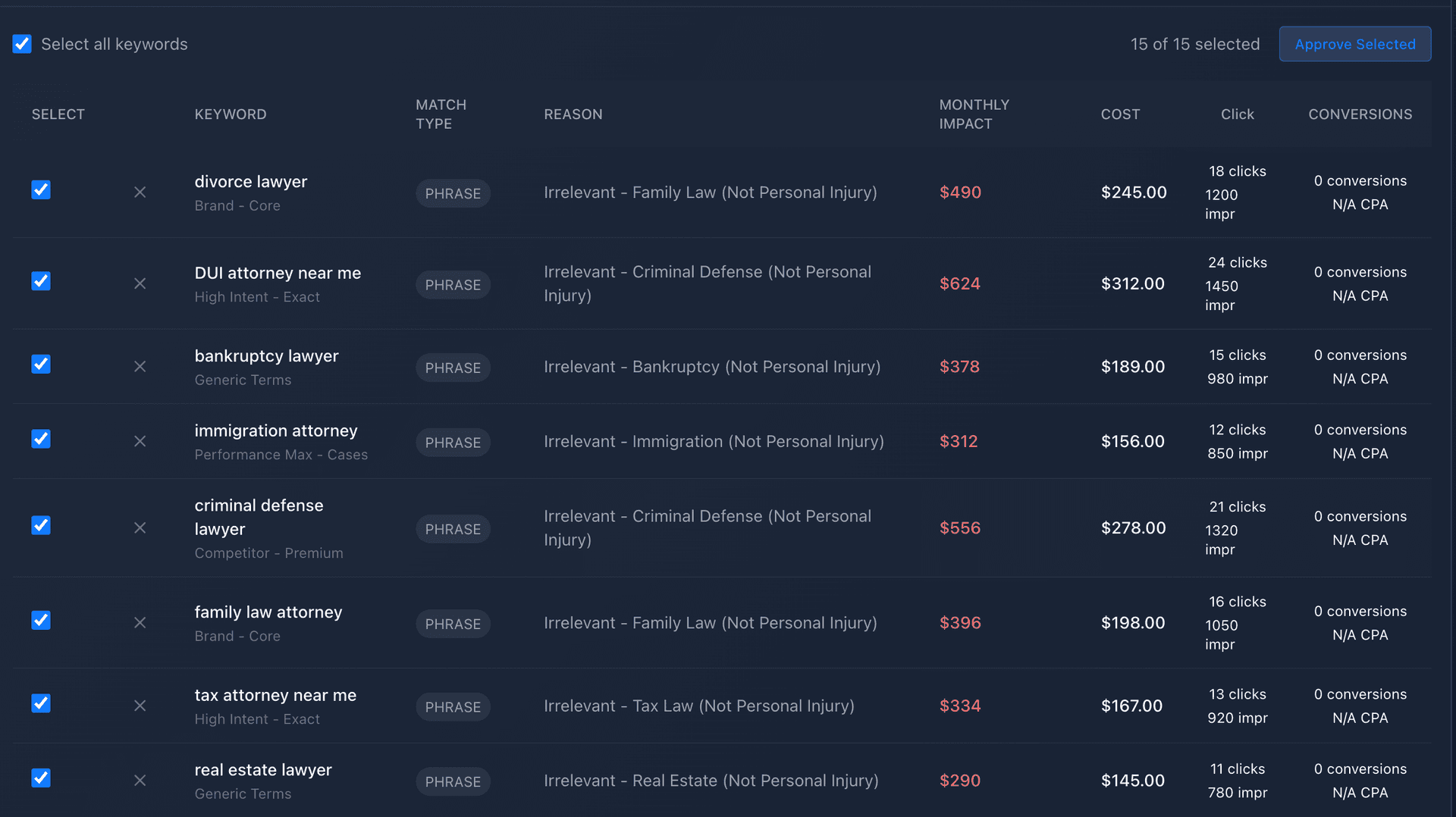
Review recommendations in your dashboard, then approve or dismiss individual keywords.
Tip
Detection Categories
- Competitor terms — search terms containing competitor brand names
- Geography mismatches — searches from locations outside your service area
- Universal negatives & spam — irrelevant terms like “free,” “jobs,” “careers,” etc.
- Low-performing metrics — search terms with high spend but no conversions, low CTR, or poor engagement
How It Learns
The agent learns from your approval and dismissal decisions. Approved keywords inform future recommendations, and dismissed keywords won’t resurface. Each recommendation includes estimated savings data so you can prioritize high-impact changes.
